Every business tracks different information.
A hospital may need to record details about medical equipment. A construction company may need to know which tools are assigned to each job site. A warehouse may need supplier information for every inventory item.
The problem is that many systems give every business the same fields and the same forms. When an important field is missing, teams often have to use notes or maintain a separate spreadsheet.
Tracmor Custom Fields give you a better way.
You can create your own fields and add them where your business needs them. This keeps important information organized inside Tracmor instead of spread across different tools.
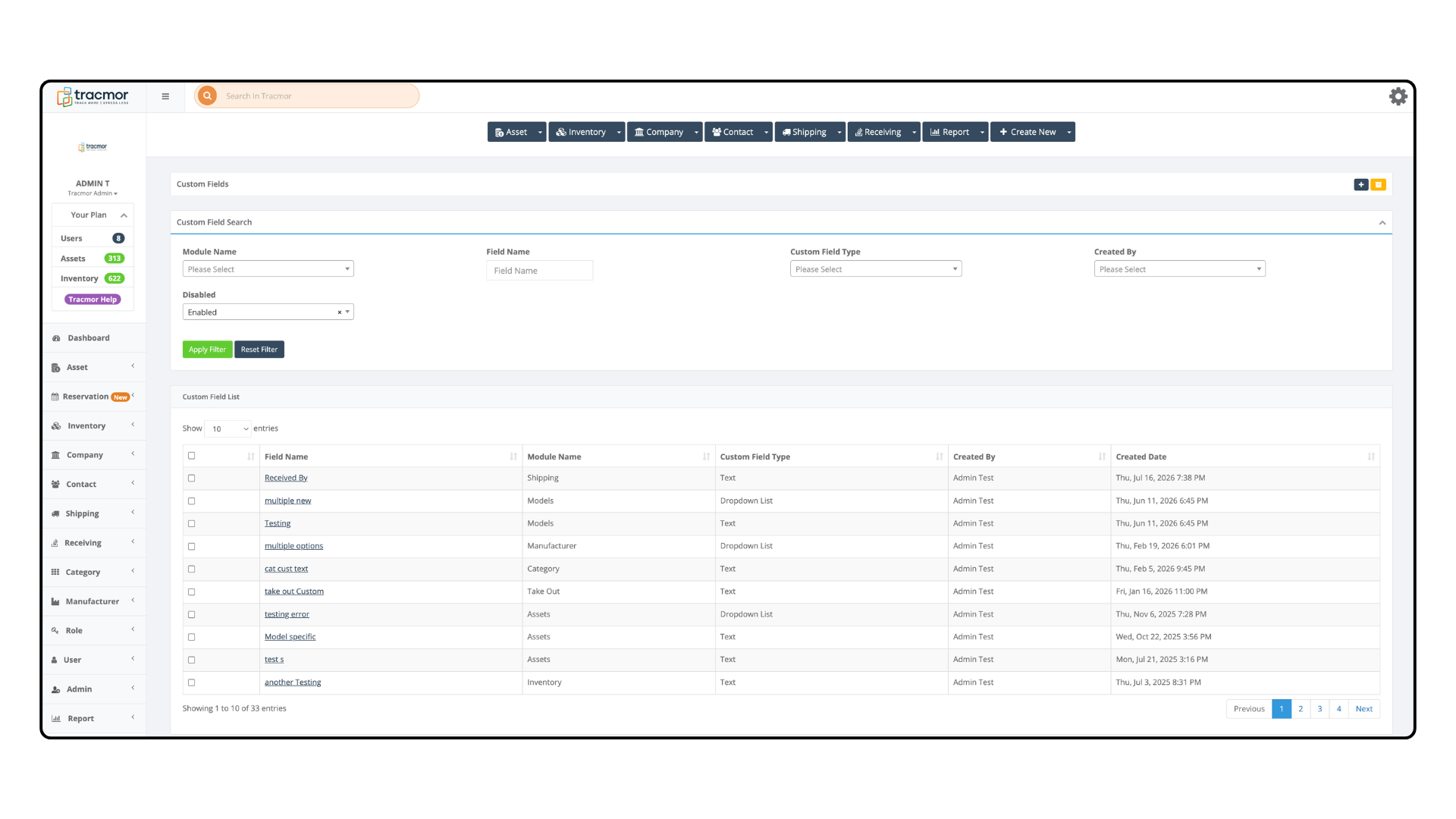
What Are Custom Fields?
Custom fields are additional fields that you create for your business.
They appear alongside the standard fields already available in Tracmor. This means your team can enter the information they need without leaving the record or using another system.
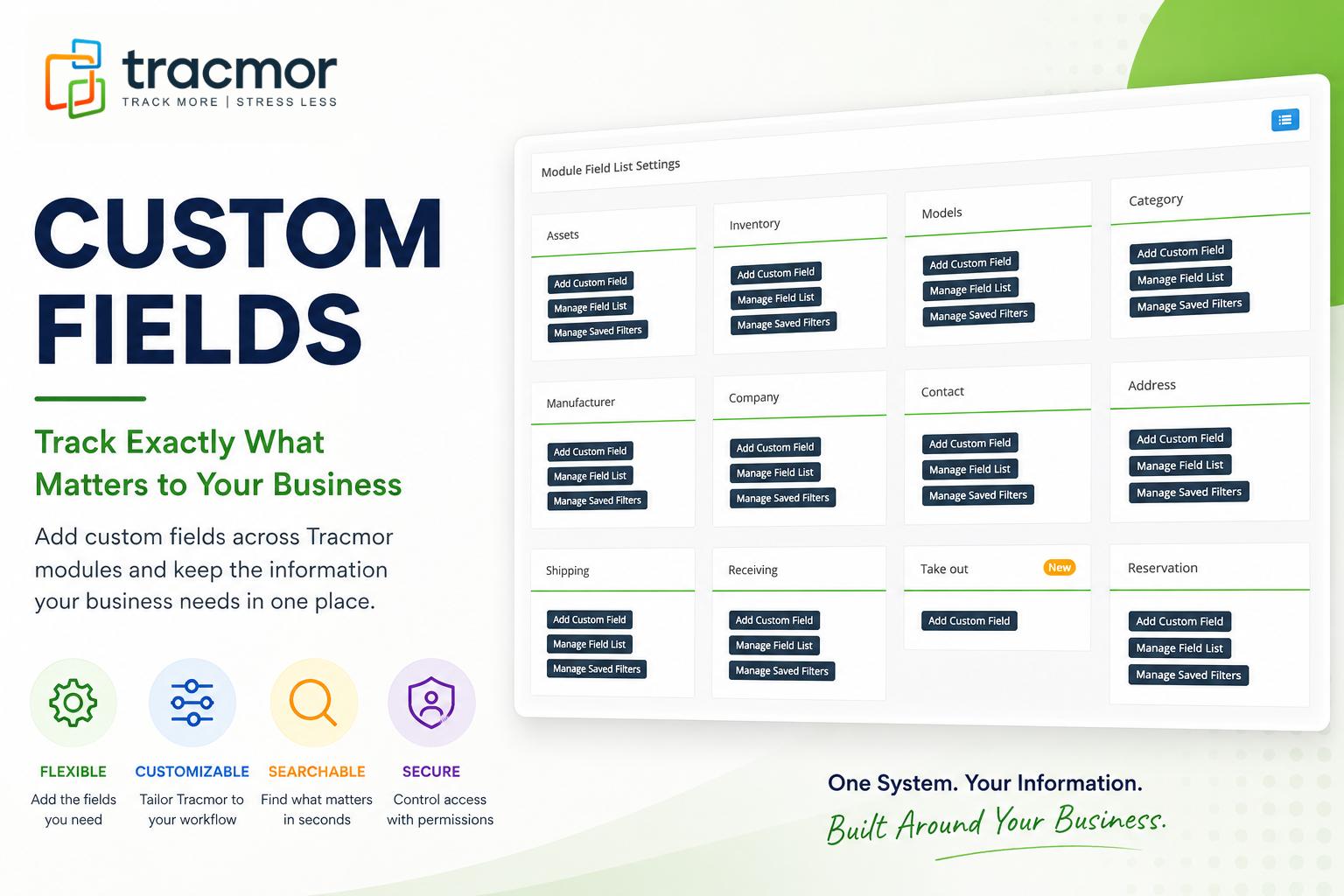
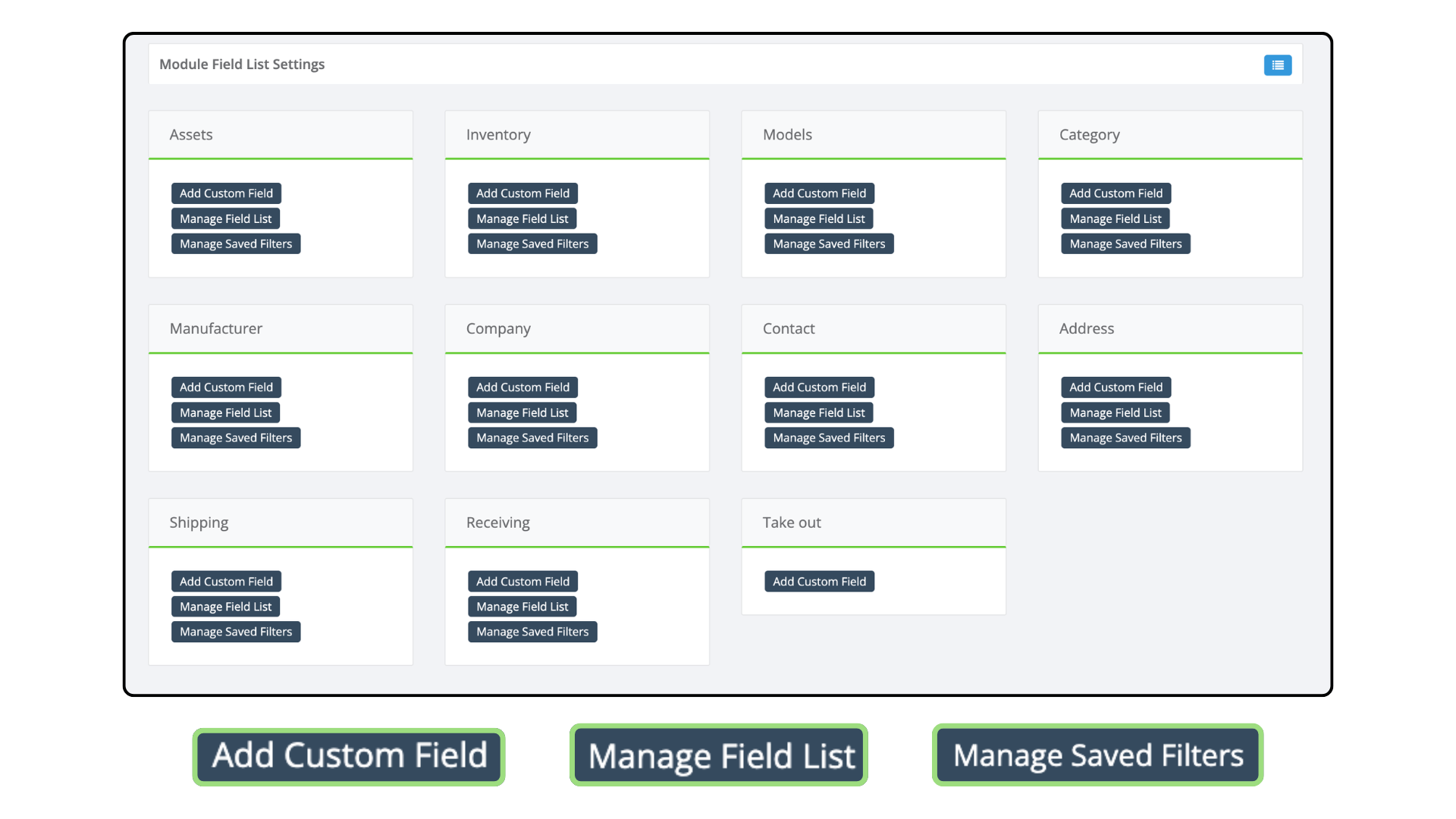
Custom fields can be used across many areas of Tracmor, including:
- Assets
- Inventory
- Models
- Categories
- Companies
- Contacts
- Addresses
- Shipping
- Receiving
- Take Out
Track the Information Your Business Needs
The biggest advantage of custom fields is flexibility.
Different businesses need different information. With Tracmor, you can create fields that match the way your team actually works.
For example:
- Healthcare: Add a Sterilization Date field to medical equipment.
- IT: Add an Assigned Department field to laptops and other devices.
- Construction: Add a Job Site field to tools and machinery.
- Warehouse: Add a Supplier Reference Number to inventory items.
- Schools: Add a Borrower Name field when equipment is checked out.
- Logistics: Add a Project Code to shipments.
Instead of changing your workflow to fit the software, you can make Tracmor fit your workflow.
Simple to Create and Manage
Creating a custom field in Tracmor only takes a few steps.
Start by giving the field a name and choosing the type of information it should contain. Depending on your needs, this could be text, a list of options, a URL, or another available field type.
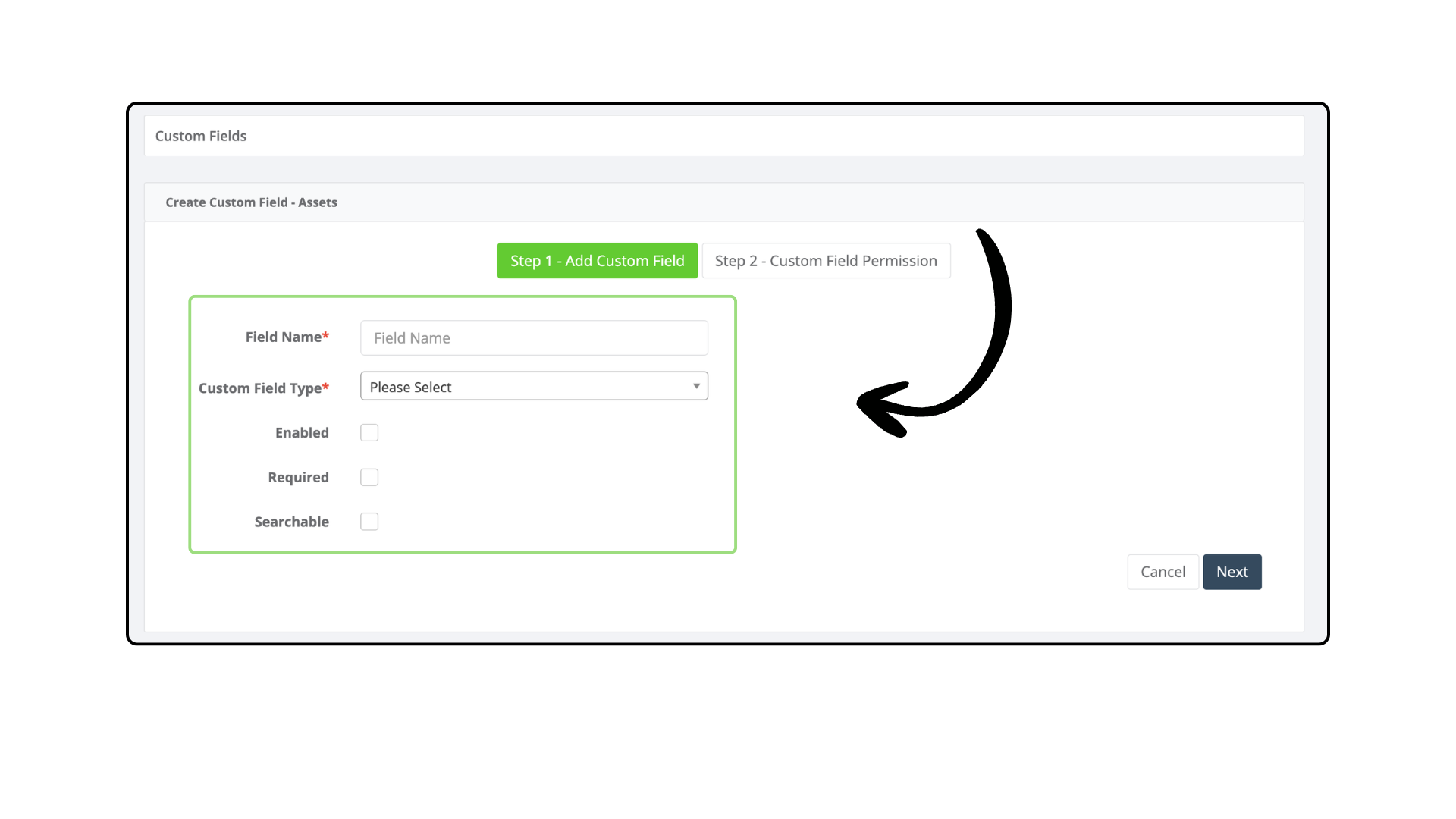
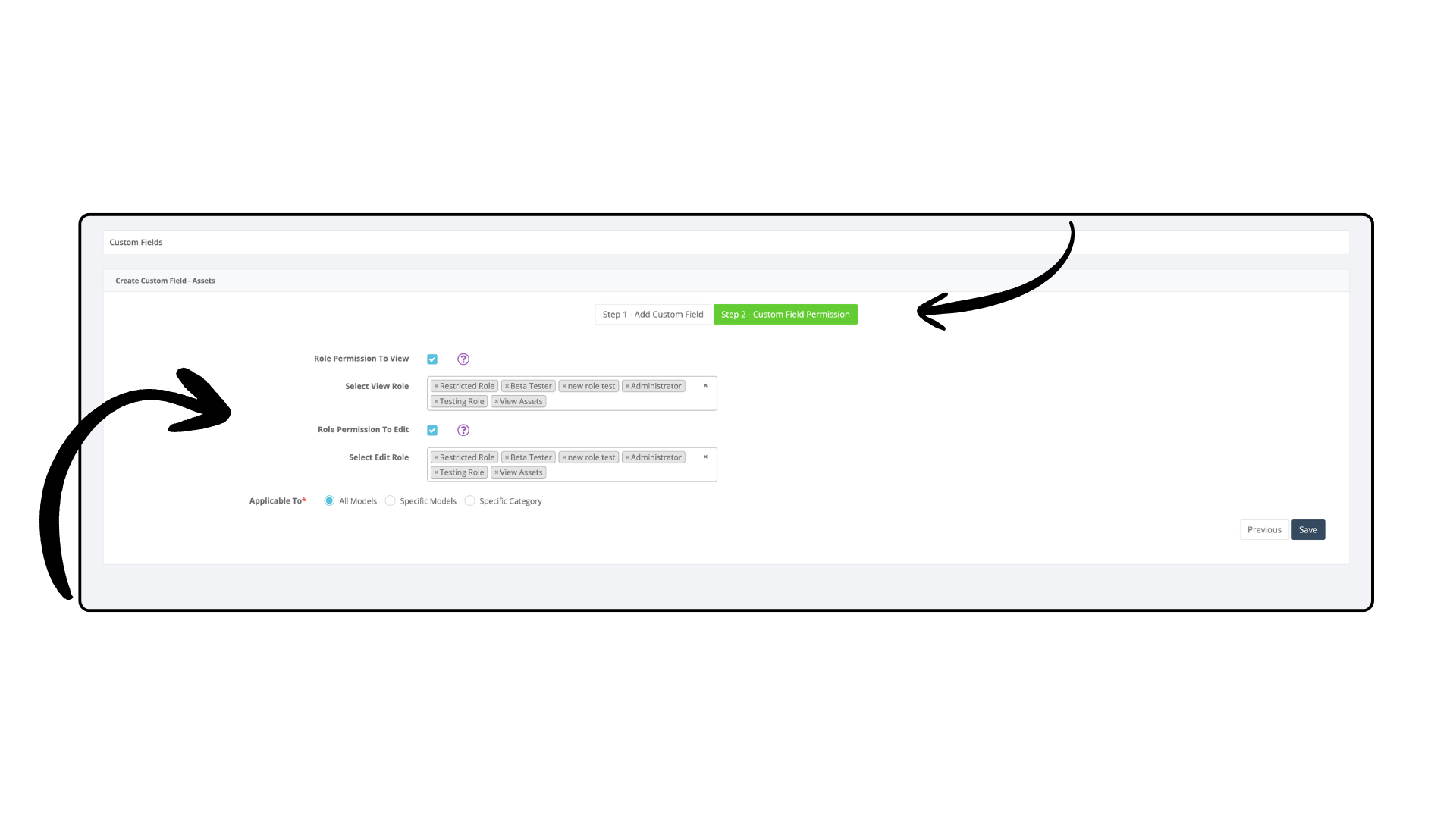
You can also control how the field works.
For example, a field can be made required when your team must enter the information before continuing. A field can also be searchable, making it easier to find records using the custom information you have added.
Permissions give you additional control over who can access or edit particular fields.
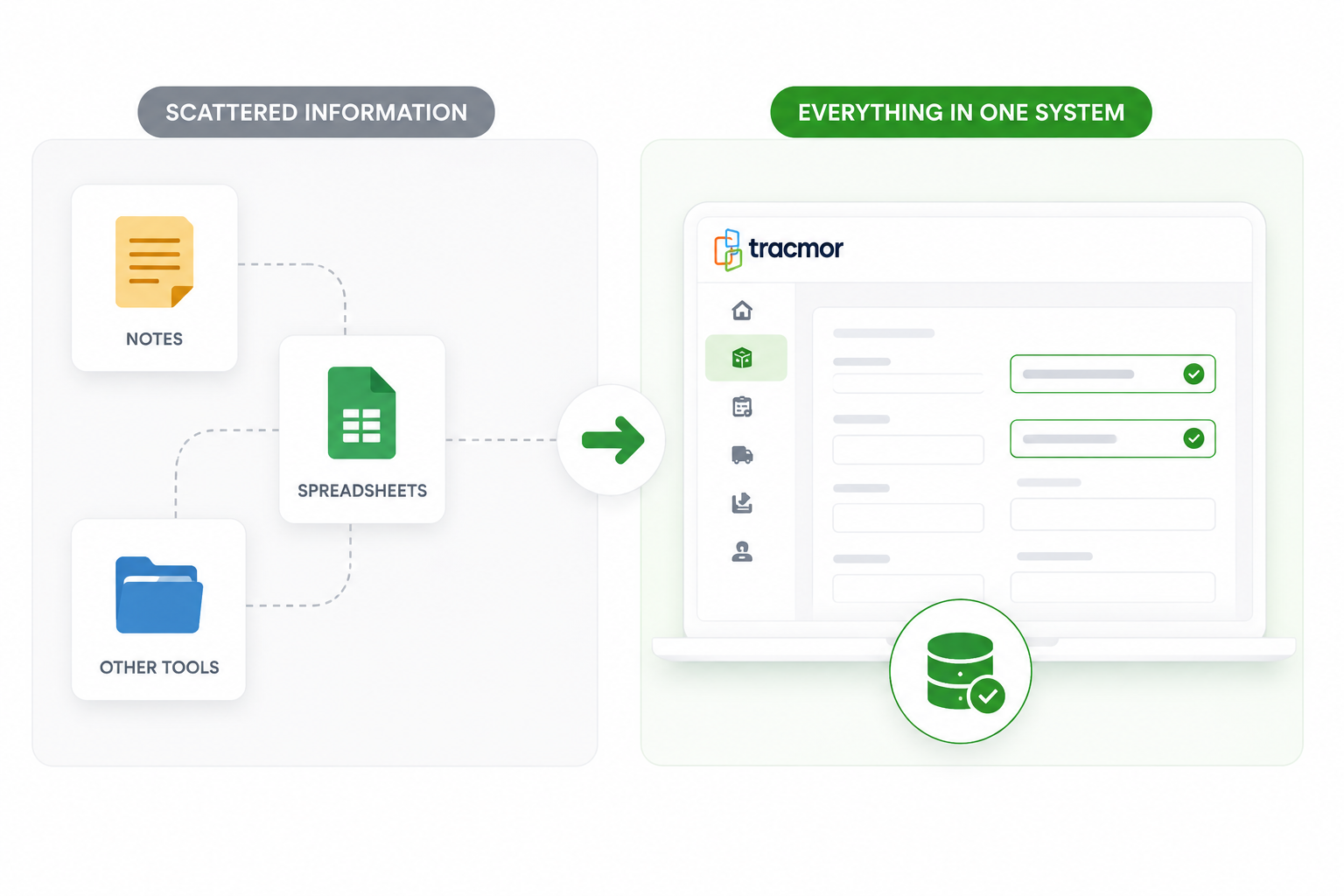
Keep Everything in One System
Without custom fields, important information can easily become scattered.
Some details may end up in notes. Others may be stored in spreadsheets. Your team then has to check multiple places to find the complete information for an asset or inventory item.
Custom fields help keep those details inside Tracmor.
That means:
- less dependence on separate spreadsheets,
- more consistent records,
- easier searching and filtering,
- and information that is easier for your team to find.
Use Custom Fields Across Your Operation
Custom fields are not limited to one part of Tracmor.
You can use them wherever your team needs additional information. You might add equipment-specific details to Assets, supplier information to Inventory, or internal reference numbers to Shipping and Receiving records.
Each part of your operation can collect the information that matters to that workflow while keeping everything together in Tracmor.
This flexibility works whether you manage a small number of assets or thousands of inventory items across multiple locations.
Build Tracmor Around Your Business
Your asset and inventory management system should support the way your business works.
With Custom Fields in Tracmor, you decide what information to track, where to track it, and how your team uses it.
No separate spreadsheets. No forcing important information into the wrong fields. Just a cleaner way to keep the details your business needs in one place.
Try Tracmor free demo today and see how Custom Fields can help you build an asset and inventory system that fits your business.