

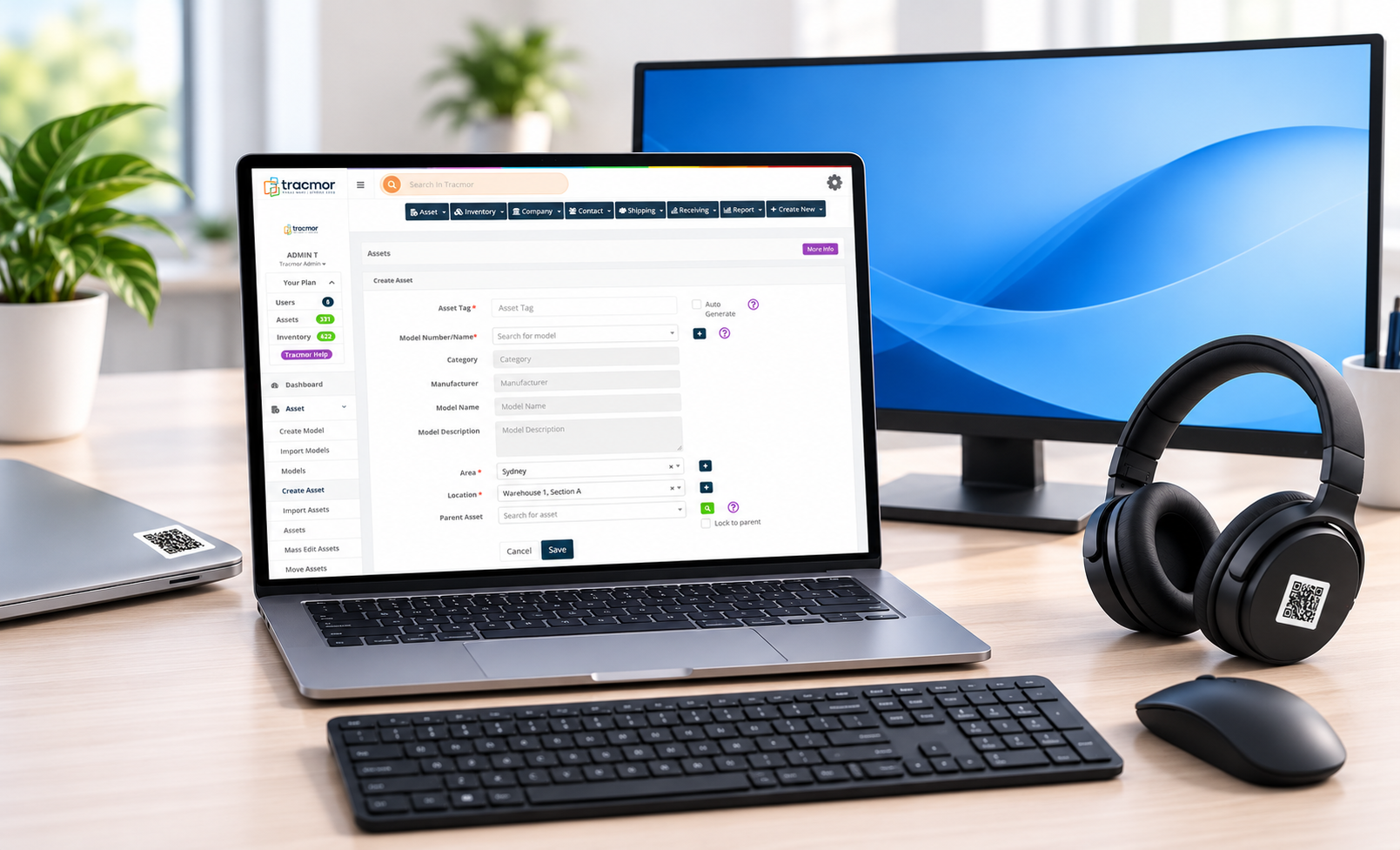
When a new employee joins a company, one of the first things they receive is the equipment they need to work. This may include a laptop, monitor, keyboard, mouse, headset, or mobile phone.
But what happens after that equipment is handed over?
As businesses grow, keeping track of company-owned devices becomes more challenging. Employees change departments, work remotely, receive replacement laptops, or leave the company. Equipment may also be transferred, repaired, or stored for future use.
Without proper tracking, even simple questions can become difficult to answer:
- Who is currently using this laptop?
- When was the equipment assigned?
- Where is the device now?
- Has the old laptop been returned?
- What equipment does an employee need to return before leaving?
A clear IT asset tracking process helps businesses know what equipment they own, who is using it, and where it belongs.
Here are five simple steps to track laptops and IT equipment assigned to employees.
Step 1: Create a Record for Every IT Asset
The first step is to maintain a record of every laptop and other IT device owned by the company.
Each record should include important details such as:
- Device name and type
- Manufacturer and model
- Serial number
- Unique asset ID
- Purchase date
- Current location
- Device condition
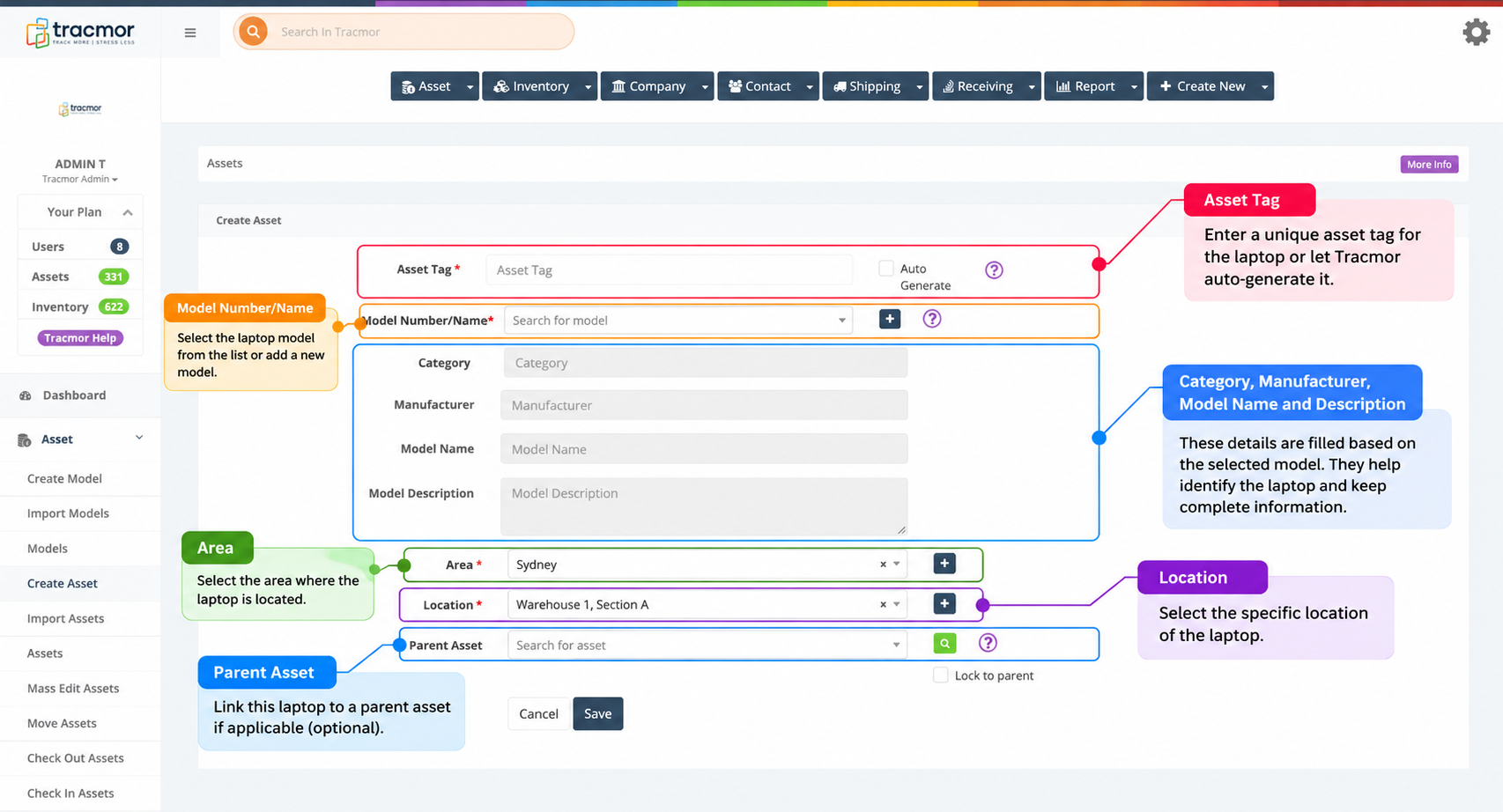
For example, with Tracmor, businesses can create an individual asset record for each laptop or IT device. They can assign a unique asset tag, select the equipment model, and specify its area and location. This helps keep equipment information organized and makes individual devices easier to identify.
Keeping all asset information organized in one place makes it easier to identify, manage, and locate devices whenever needed.
Step 2: Use Barcode or QR Code Labels
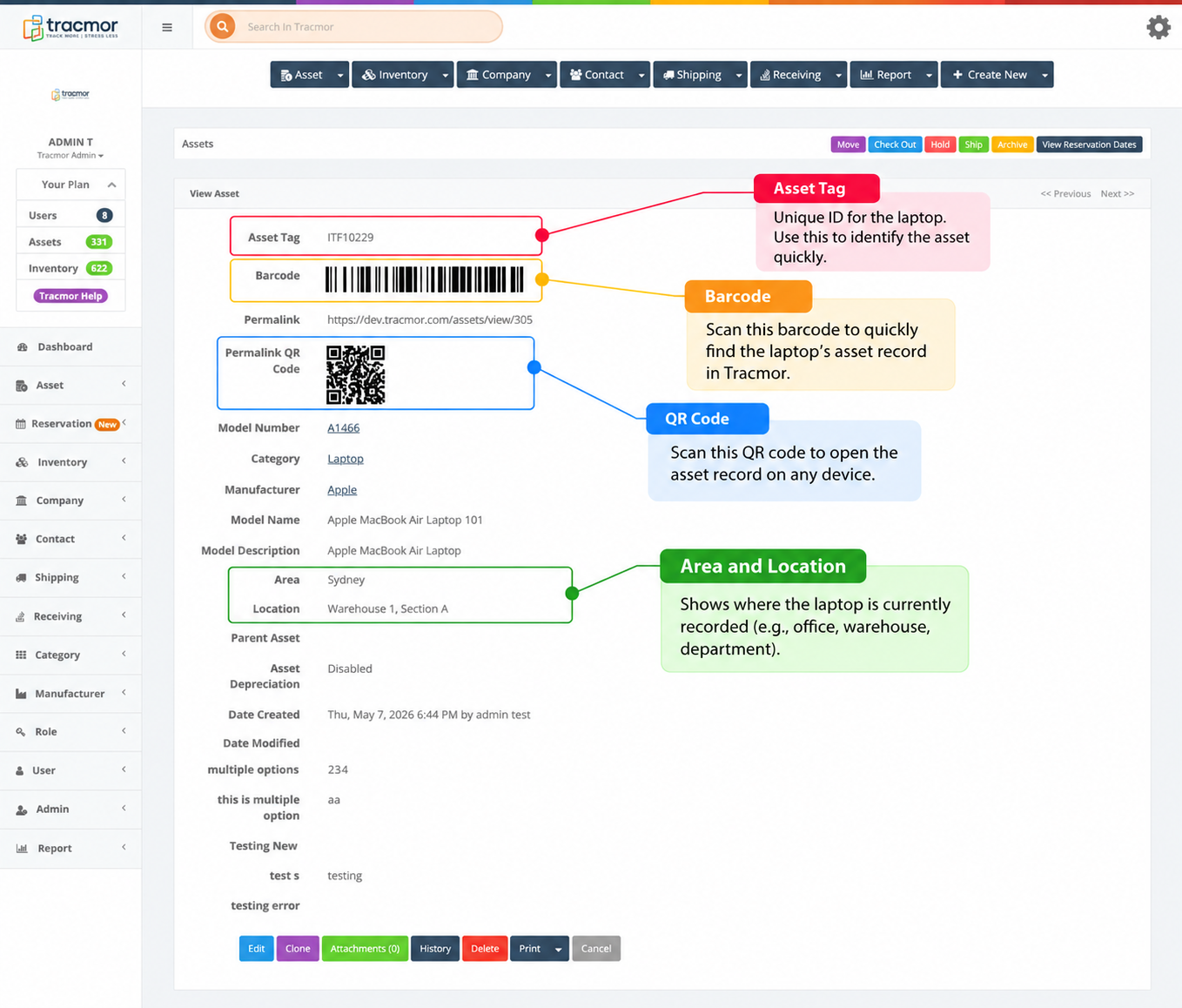
When a business manages many devices, manually checking serial numbers or searching through records can take time.
Barcode and QR code labels offer a simpler way to identify equipment.
Each device can have a unique label connected to its asset record.
For example, instead of checking multiple laptops to find a particular device, an IT employee can scan its barcode or QR code to access the corresponding record in the tracking system.
This is especially useful when equipment moves between departments, offices, storage areas, or employees.
Labels should be placed where they are easy to scan without covering important manufacturer information or ventilation areas.
A simple scan can make identifying and checking equipment much faster.
Step 3: Record Which Employee Has Each Device
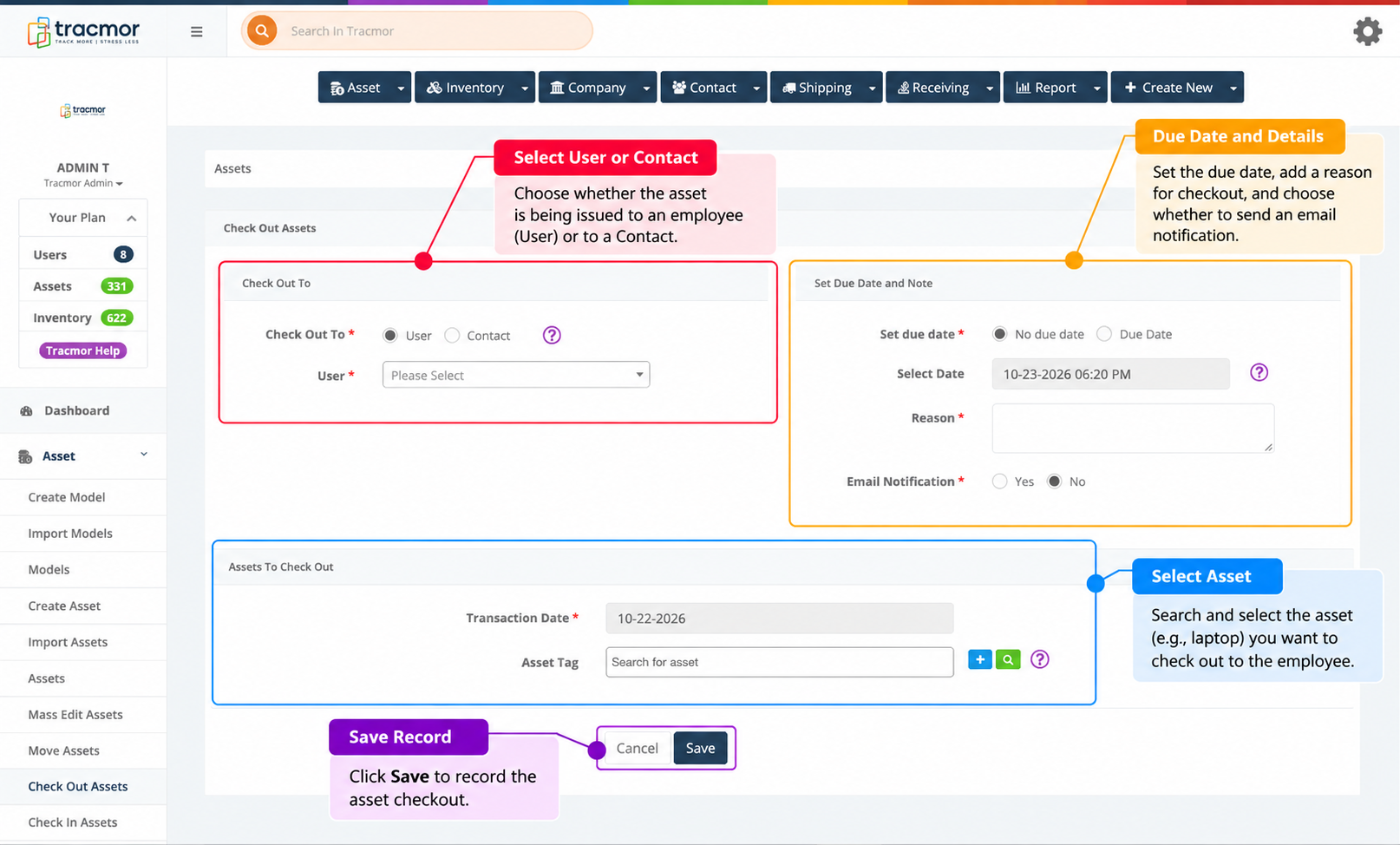
Creating an asset record is important, but businesses also need to know who is responsible for each device.
Whenever equipment is issued to an employee, the IT team should record:
- Employee name
- Equipment assigned
- Asset ID
- Assignment date
- Department or work location
- Expected return date, if applicable
For example, a new employee in the Marketing department may receive a laptop, monitor, and headset.
Instead of recording these items as general office equipment, the company can maintain a clear record of which devices were issued to that employee.
This becomes especially helpful when employees work remotely or share equipment across different locations.
With proper assignment records, the IT team can quickly check who has a particular device without depending on memory or asking multiple people.
Step 4: Update Records When Equipment Changes Hands
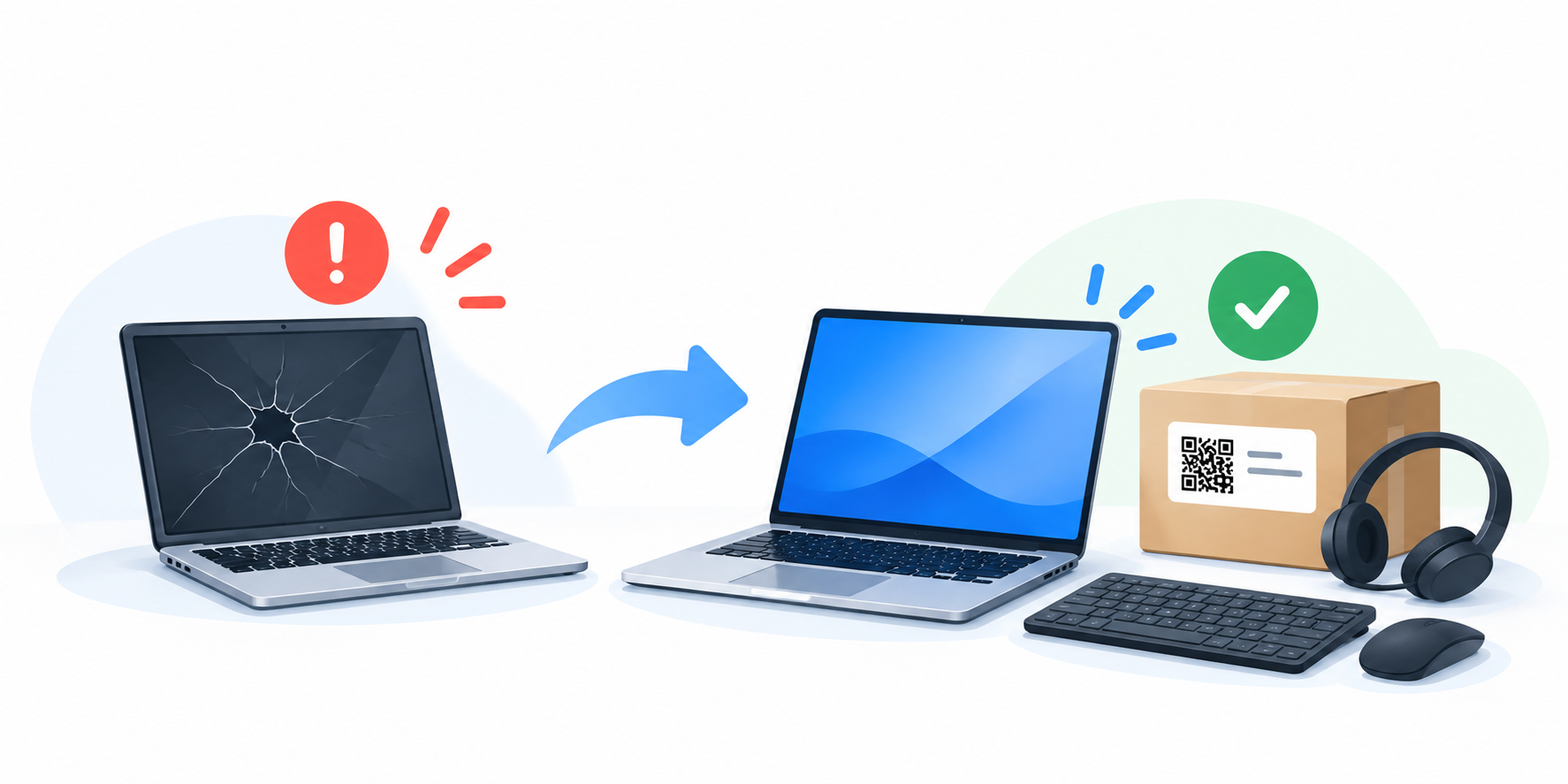
IT equipment does not always stay with the same employee.
Over time, devices may be:
- Transferred to another employee
- Moved to a different department
- Replaced with newer equipment
- Sent for maintenance or repair
- Returned to storage
Whenever a change happens, the asset record should be updated.
For example, suppose an employee reports that their laptop is no longer working properly.
The IT team provides a replacement laptop and takes back the damaged device.
In this situation, the company should record the return of the old laptop, update its condition or repair status, and record the replacement device assigned to the employee.
Without these updates, the records may continue showing the wrong employee or location.
Keeping records current helps businesses understand where equipment is, who is using it, and what condition it is in.
Step 5: Track Equipment Returns During Employee Offboarding
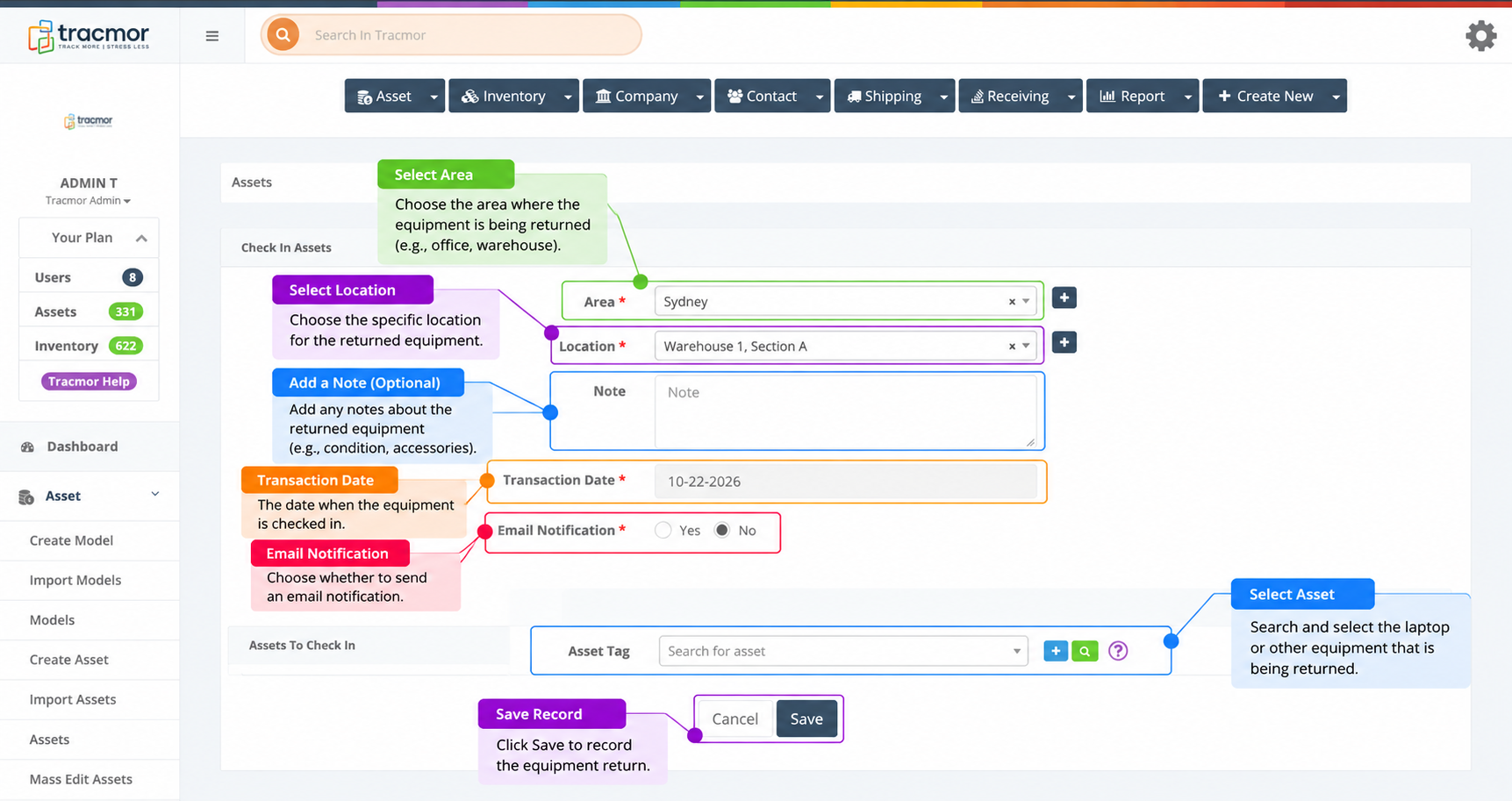
When an employee leaves a company, collecting company-owned equipment is an important part of the offboarding process.
The IT team should review the employee’s equipment records to identify everything that needs to be returned.
This may include laptops, monitors, keyboards, headsets, mobile phones, and other accessories.
A simple return checklist helps confirm that all expected equipment has been collected.
Once a device is returned, the IT team can:
- Confirm that the correct device was received
- Inspect its physical condition
- Update its return status
- Arrange repairs if necessary
- Prepare it for reassignment or storage
For remote employees, the return process may involve shipping equipment back to the company.
If any device is still missing, the IT team can follow up before completing the equipment return process.
A proper offboarding process helps businesses recover company equipment and keep asset records accurate.
How Tracmor Helps Manage Employee IT Equipment
As a company grows, managing laptops and other IT equipment through spreadsheets, paper records, or separate documents can become difficult.
This is where Tracmor can help.
Tracmor is a cloud-based asset tracking and inventory management solution that helps businesses keep their equipment information organized in one centralized system.
With Tracmor, businesses can maintain records for company-owned laptops, monitors, mobile phones, and other IT equipment.
Barcode and QR code tracking help teams identify devices and access their associated asset records.
Businesses can also use relevant tracking workflows to document equipment movement, maintain location information, and keep records updated as devices are issued, transferred, or returned.
Instead of searching through multiple files or depending on employee memory, IT teams can work with organized asset information in one place.
This helps businesses maintain better visibility into their equipment and makes everyday asset management easier.
Keep Your Company’s IT Equipment Organized
Tracking employee laptops and IT equipment doesn’t have to be complicated.
The key is to follow a consistent process from the moment a device is purchased until it is returned, reassigned, or retired.
Start by recording every device, giving it a unique identification label, documenting employee assignments, and updating records whenever equipment changes hands.
These simple practices can help businesses reduce confusion, improve accountability, and manage company-owned equipment more effectively.
Make IT asset tracking easier with Tracmor. Take a free demo today and discover how centralized asset management can help keep your company’s equipment organized.