

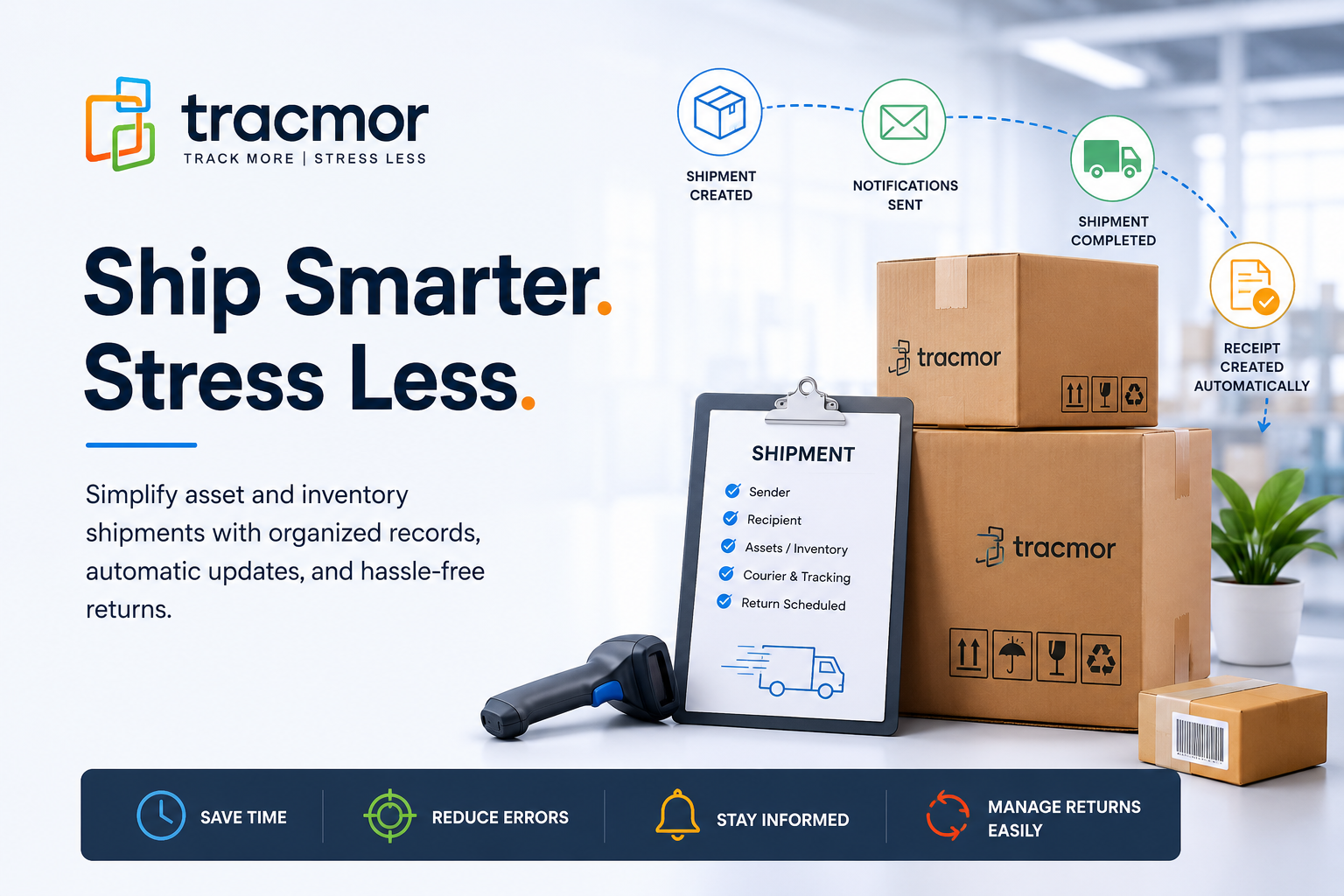
Every business ships something.
It could be laptops sent to remote employees, tools moved between job sites, medical equipment transferred between departments, or inventory delivered to customers.
At first, keeping track of these shipments seems simple. But as the number of shipments grows, so do the questions.
- Where was this asset sent?
- Who received it?
- Has it arrived?
- Which courier was used?
- When is the equipment supposed to be returned?
If the answers are spread across emails, spreadsheets, paper notes, and different employees, finding them can quickly become frustrating.
A better approach is to manage every shipment from one central place. That’s exactly what Tracmor’s Schedule Shipment feature is designed to do.
Keep Every Shipment Organized from the Start
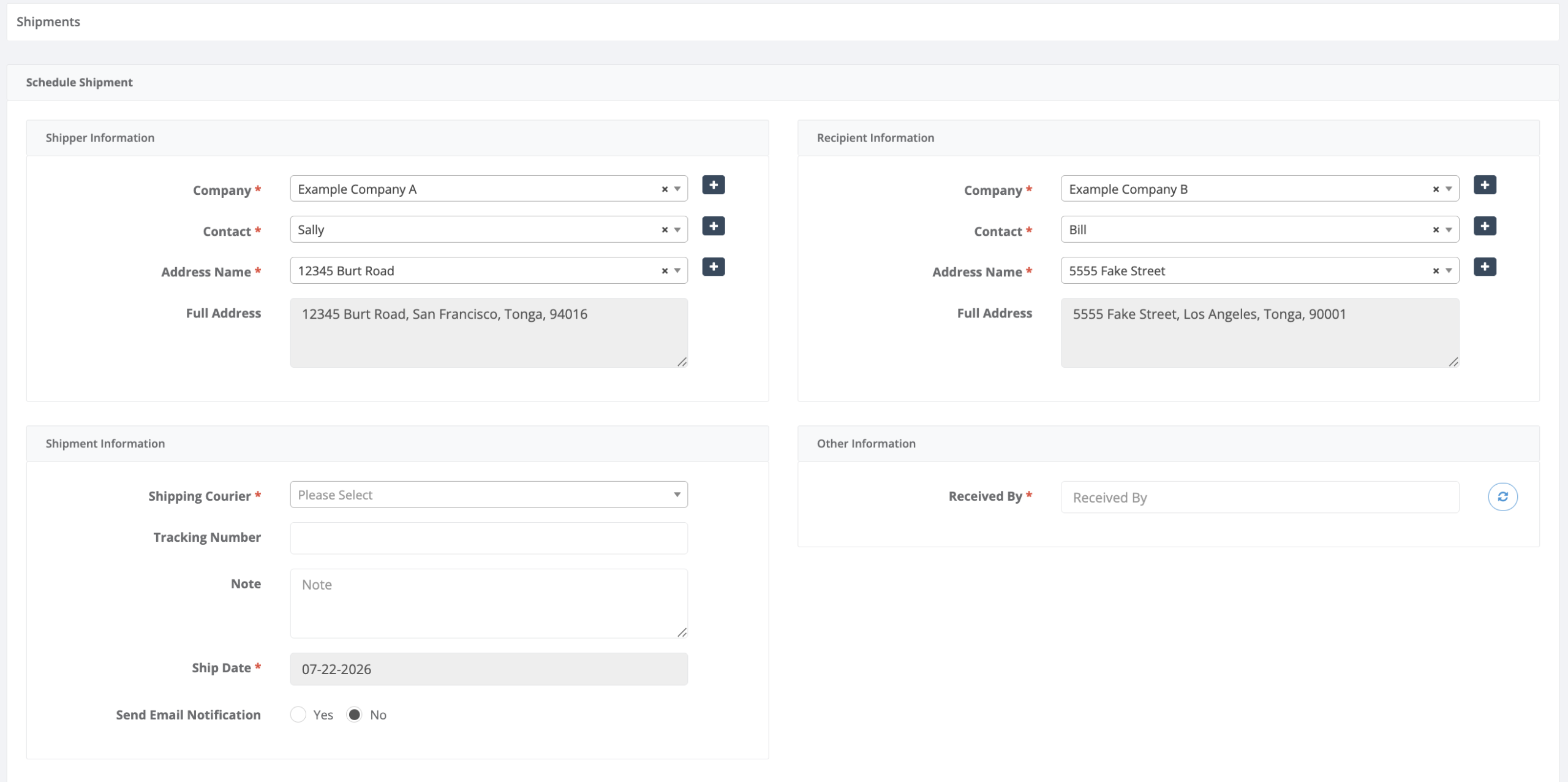
The easiest way to avoid shipment confusion is to record everything when the shipment is created.
Instead of storing information in different places, Tracmor keeps the sender, recipient, courier, tracking number, shipment notes, assets, and inventory together in one organized record.
This means anyone on your team can quickly see the complete shipment history without searching through old emails or asking coworkers for updates
Save Time on Every Shipment
Many businesses ship from the same warehouse or office every day.
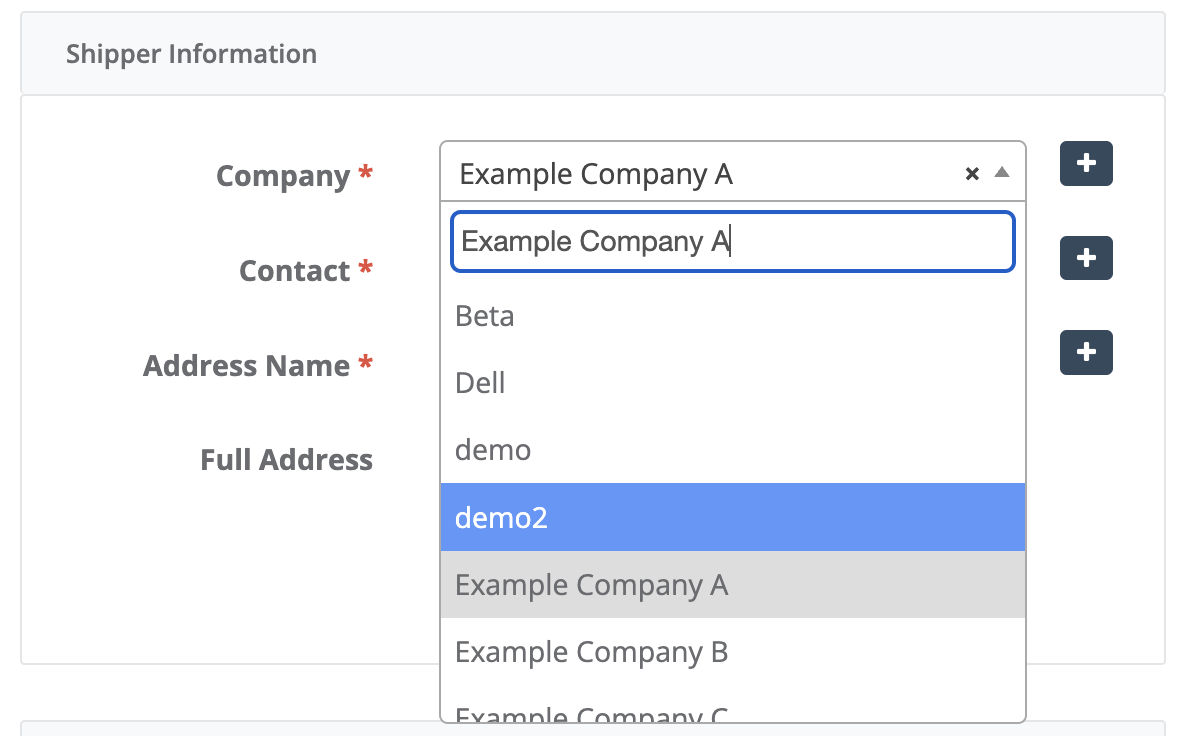
Typing the same company name, contact details, and address for every shipment wastes time and increases the chance of mistakes.
Tracmor allows administrators to set default shipper information, so new shipments automatically include the correct sender details. Searchable company, contact, and address fields also make it quick to find existing records.
Small time savings on every shipment can add up to hours saved each week.
Keep Everyone Informed Automatically
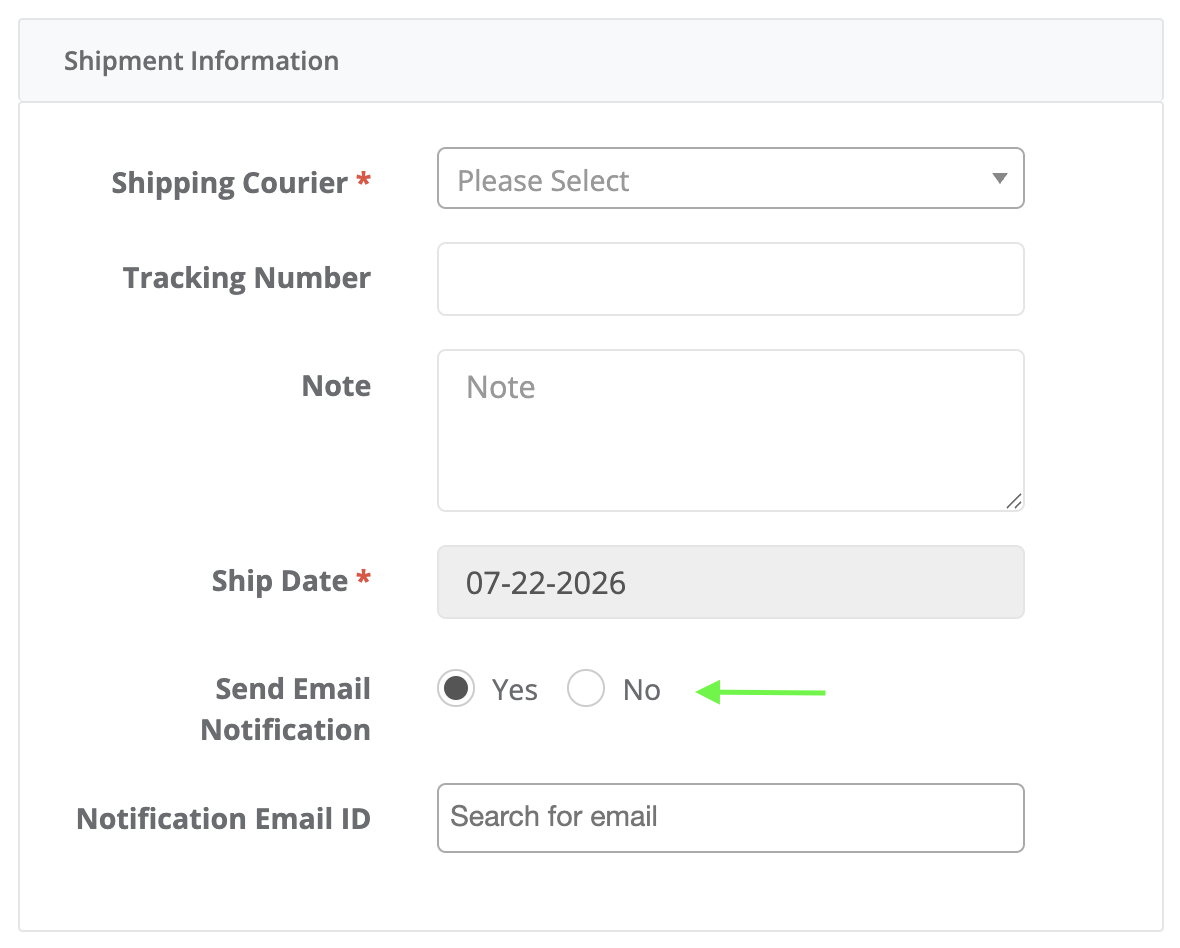
Communication is one of the most overlooked parts of shipment management.
Without notifications, recipients often have to ask whether a shipment has been sent or when it will arrive.
Tracmor helps eliminate those unnecessary follow-up emails by automatically sending notifications when a shipment is scheduled and again when it is marked as complete.
This keeps everyone informed without creating extra work for your team.
Handle Large Shipments More Efficiently
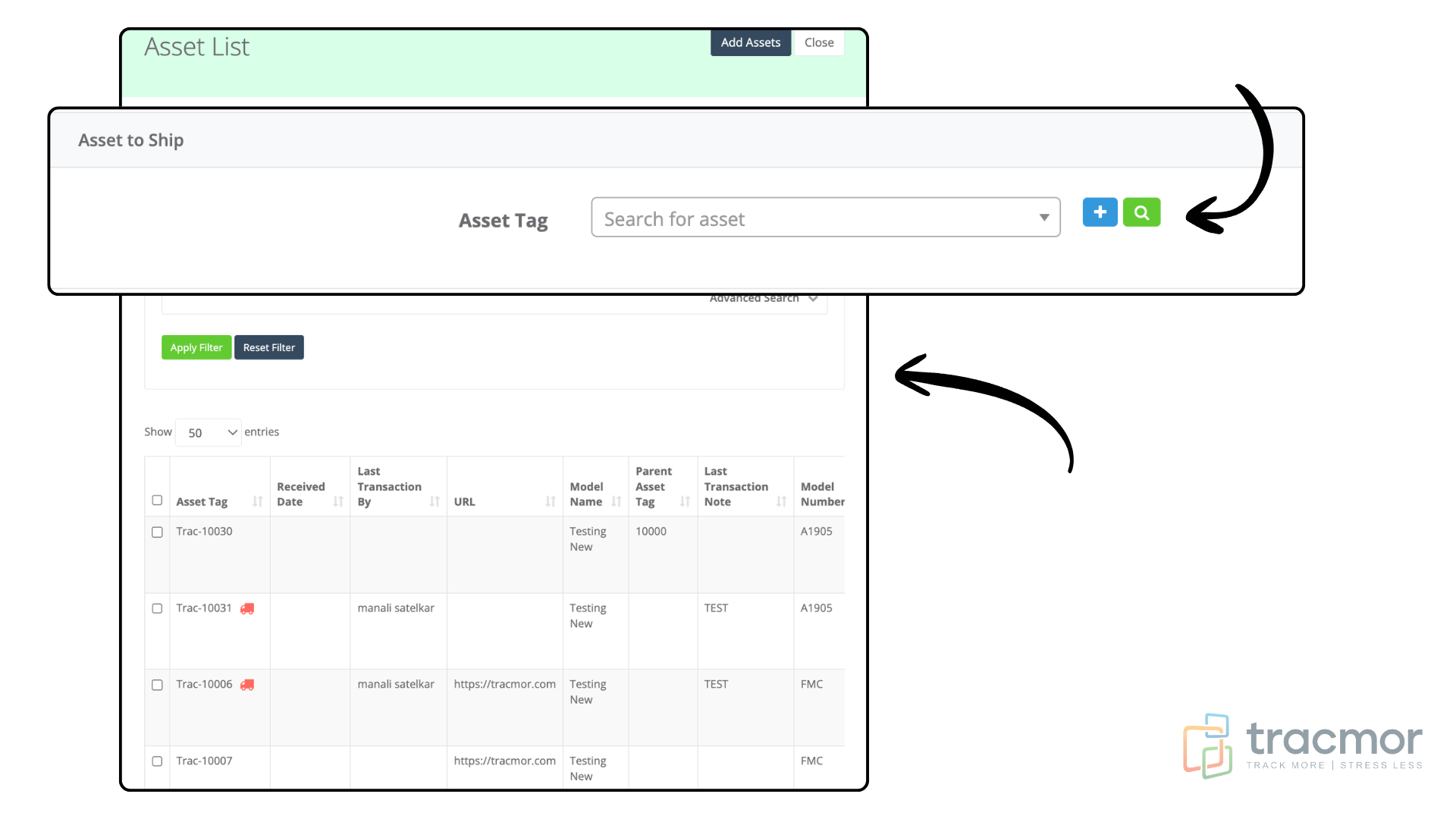
Shipping one or two items is easy.
Shipping dozens or hundreds of assets is where manual processes become slow and error-prone.
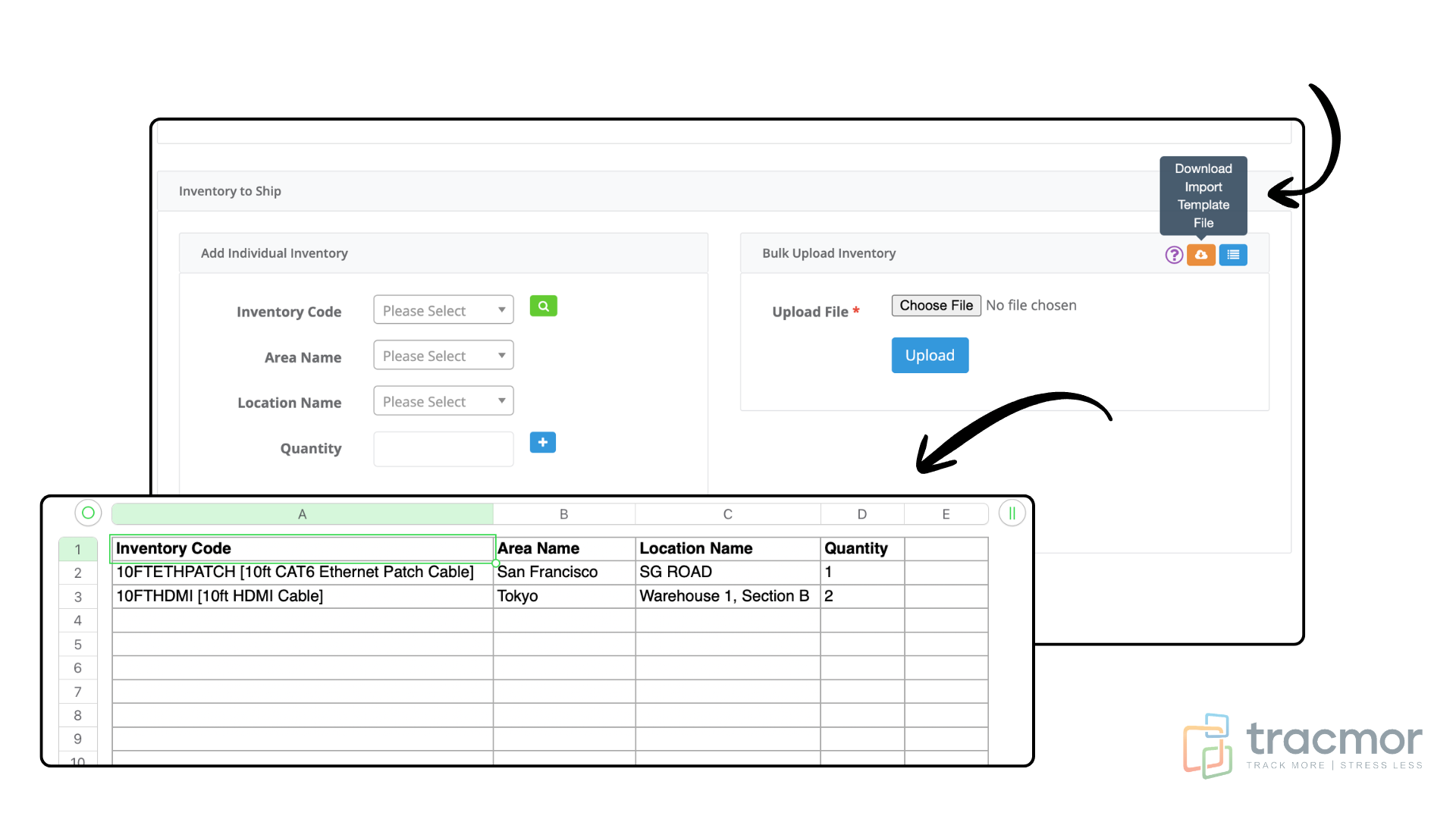
Tracmor makes large shipments much easier by allowing users to:
- Search and add multiple assets at once.
- Upload inventory in bulk using an Excel spreadsheet.
- Import large quantities in just a few minutes.
This is especially valuable for warehouses, distributors, manufacturers, and businesses that regularly ship high volumes of inventory.
Make Sure Loaned Assets Come Back
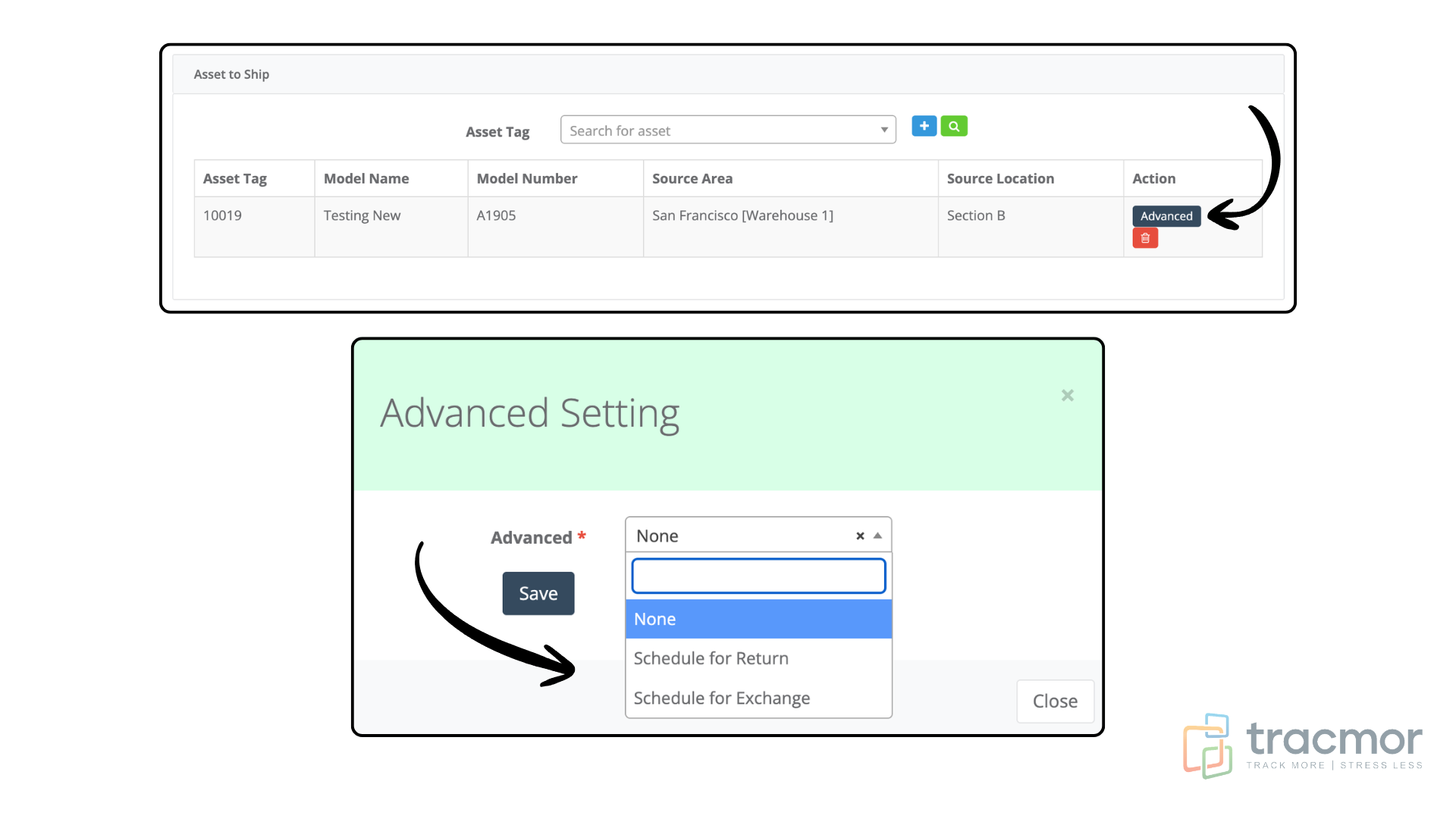
Many businesses don’t just ship equipment, they expect it to be returned.
Examples include:
- IT departments lending laptops
- Construction companies sending tools to job sites
- Schools loaning equipment
- Healthcare organizations transferring devices
Without a return process, valuable assets are easy to forget.
Tracmor allows you to schedule return shipments while creating the original shipment. You can even schedule exchanges when one asset is being replaced with another.
This creates a clear record of what was sent, when it should return, and what needs to happen next.
Automatic Receipt Creation Saves Even More Time
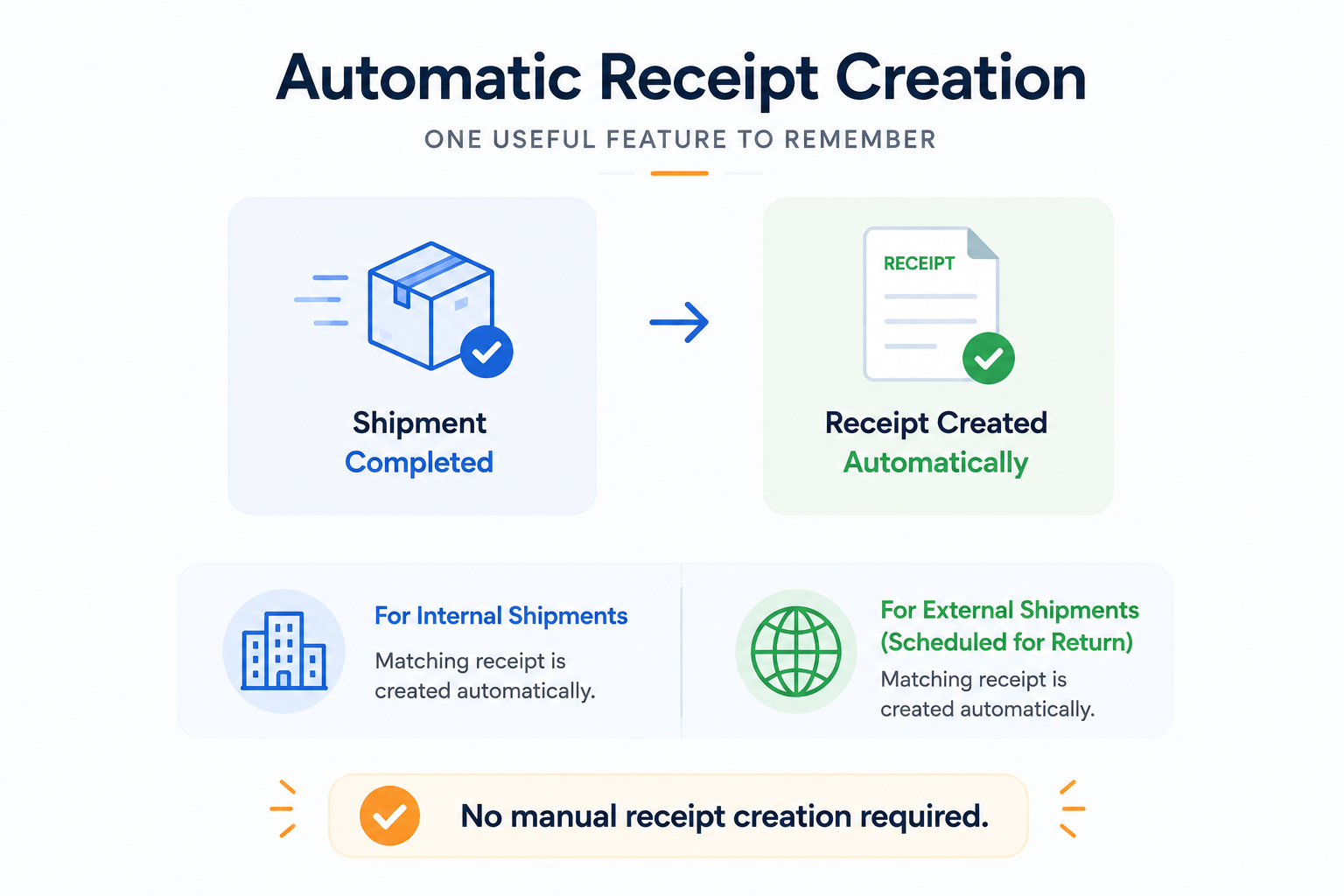
Another helpful feature is Automatic Receipt Creation.
When an internal shipment or an external shipment scheduled for return is marked Complete, Tracmor automatically creates the corresponding receipt.
There’s no need to create the receipt manually, helping your team save time while keeping shipment records accurate.
Businesses That Benefit Most
Almost any organization that moves physical equipment or inventory can benefit from better shipment management.
Some common examples include:
- 🏗 Construction companies moving tools between job sites
- 💻 IT departments shipping laptops and hardware
- 🏥 Healthcare facilities transferring medical equipment
- 📦 Warehouses and distributors shipping customer orders
- 🏫 Schools and universities managing shared equipment
- 🏢 Businesses with multiple offices transferring assets between locations
No matter the industry, the goal is the same: know what was shipped, where it went, and when it should return.
Make Shipment Management Simpler
Managing shipments shouldn’t involve searching through emails, updating spreadsheets, or wondering where an asset ended up.
With Tracmor, every shipment is organized in one place, notifications happen automatically, large shipments are easier to manage, and return processes are built directly into the workflow.
Whether you’re moving equipment across departments or shipping inventory across the country, Tracmor helps your team stay organized, save time, and maintain accurate records.
Ready to simplify shipment management?
Request a free Tracmor demo and see how easy it is to organize shipments, assets, and inventory from one centralized system.